At a glance
Claimant, project, amount, claim date and agreed timing inputs are captured in the register.
The workflow calculates a tracking date from the configured contract or statutory timing input.
T-7, T-3 and T-1 reminders surface approaching response dates, with a T-10 nudge where used.
Aging, overdue and window-closed items are surfaced for builder review and action.
Client type: Residential builder, QLD — multiple payment claims moving across active projects.
The problem
Payment claims arrive while the builder is managing projects, trades, homeowners and site decisions. The claim may be recorded somewhere, but the response date, current status and next action can remain difficult to see across multiple jobs.
The coordination risk is not just forgetting a document. It is losing visibility of which claim is approaching a configured response date, which item is overdue, and who needs to review the next action.
How the system works
The documented build separates intake, register computation, cadence reminders, draft-and-approve follow-up, visible logging and exception handling. It supports administrative visibility; it does not decide legal rights or replace professional advice.
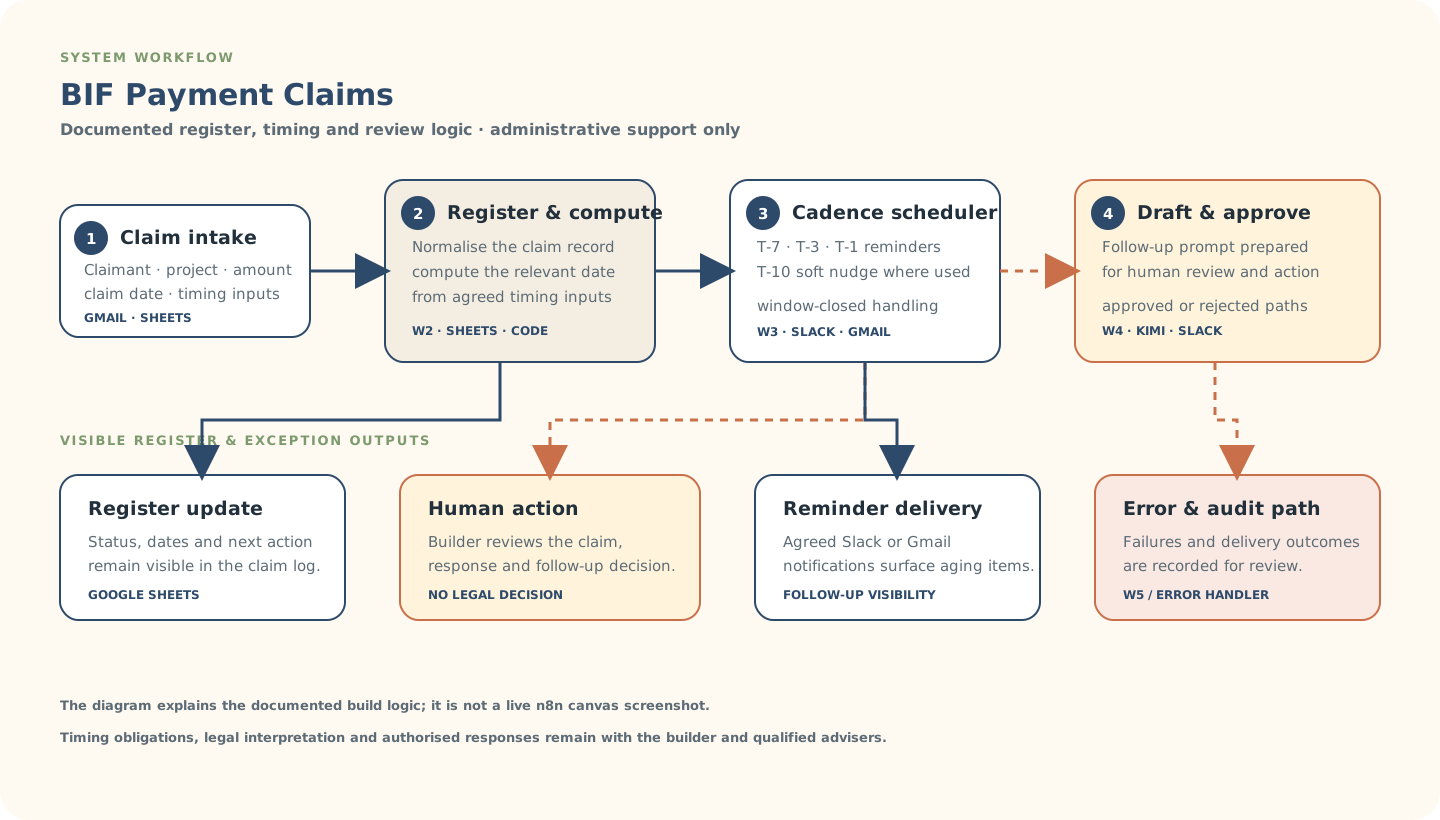
Explanatory workflow visual based on the documented portfolio build — not a live n8n canvas screenshot.
Inside the build
The build uses structured claim fields and configured timing inputs so the register can show status, dates, reminder points and follow-up context in one place.
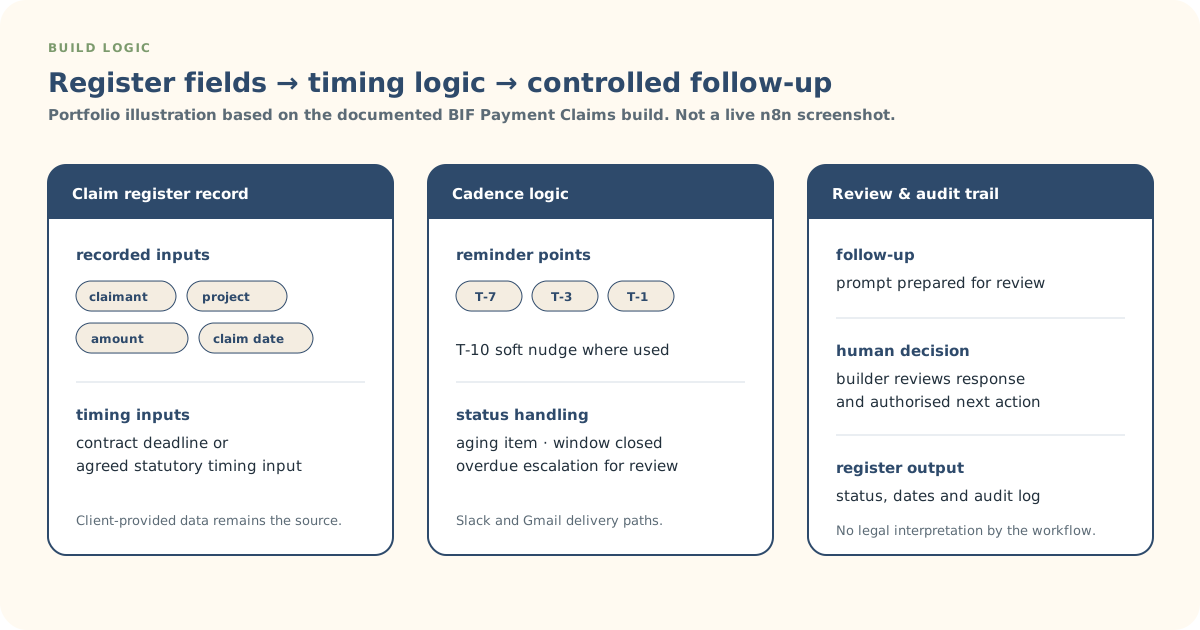
Explanatory build-detail visual derived from the documented workflow logic.
Actual build evidence
This is an authentic n8n canvas screenshot from the BIF Payment Claims build. It provides build evidence; the System Workflow and Build Logic SVGs remain the clearer client-readable explanations.
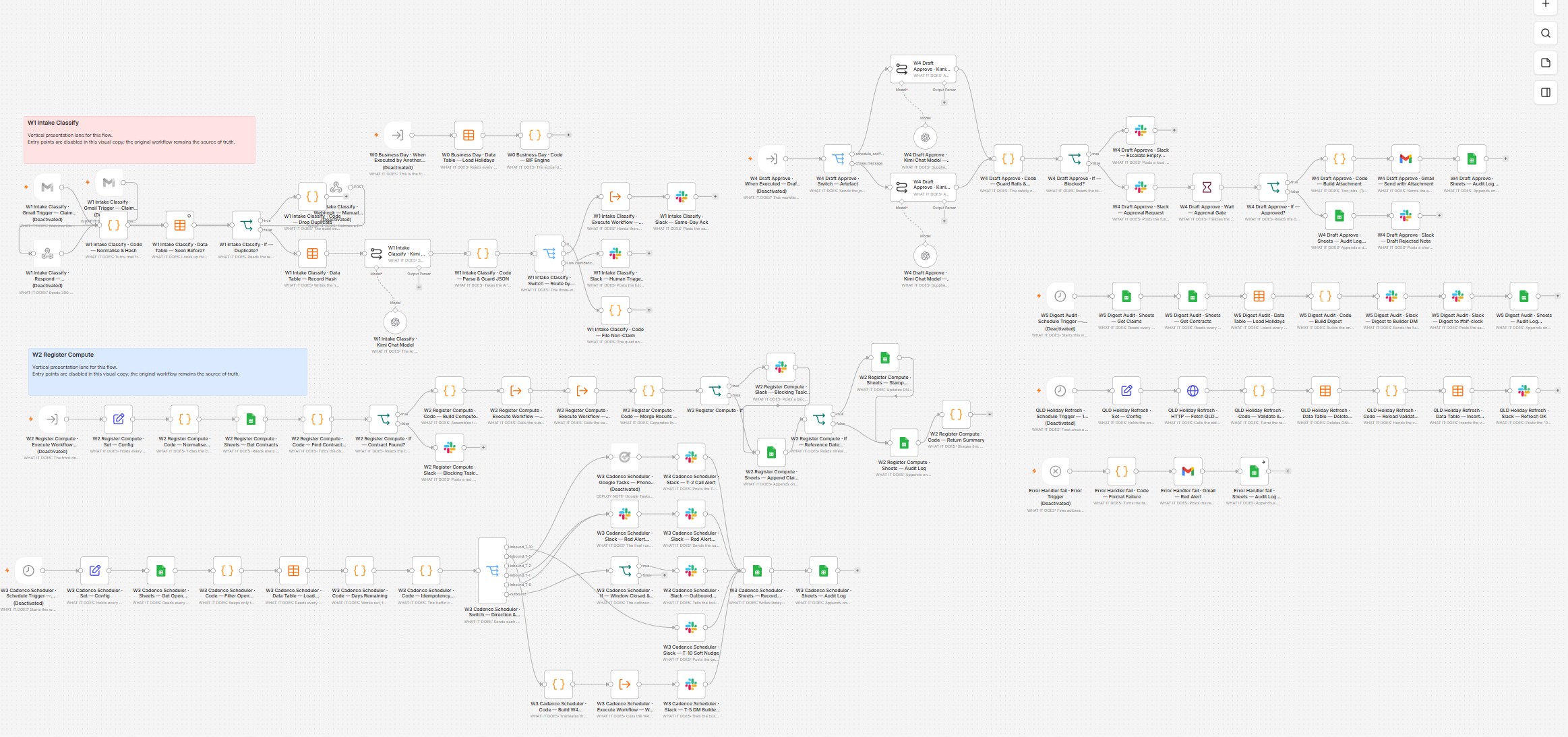
Actual n8n build screenshot supplied for this portfolio case study. Click the image for an in-page larger view.
Controls & exceptions
The workflow tracks configured contract or statutory timing inputs; the responsible team must confirm which timing applies.
Prompts and draft approval paths support the next action without making a legal or commercial decision.
Reminder cadence and window-closed handling make approaching or overdue items visible for builder attention.
Error and delivery paths report failures and preserve an audit trail instead of silently dropping the item.
What stays human-controlled
Automation supports register visibility, timing reminders, logging and follow-up preparation. The builder and responsible advisers retain legal interpretation, construction and commercial judgement, response approval, negotiation, dispute decisions and authorised client-facing action.