At a glance
Project status, RFIs, certificate flags, inspections, claims, variations and open follow-ups.
RFI aging and attention flags from the current source records.
AI-assisted operational sections for an internal builder audience, not a homeowner update.
A draft-versus-send gate keeps the builder in control before final delivery.
Audience: Internal builder update, separate from the homeowner-facing Friday Owner Update.
The problem
Builders can end a week with project information spread across sheets, inboxes and separate coordination threads. RFIs quietly age, certificate flags sit without context, upcoming inspections compete for attention and follow-ups remain open because nobody has consolidated the operational view.
The coordination challenge is not producing a long report. It is creating a concise internal close-out that is grounded in current records and still reviewed by the builder before it becomes the weekly reference point.
How the system works
The documented build starts on a Friday schedule, reads the relevant project signals, calculates attention items, drafts an internal update, applies audience boundaries and records the reporting run after the review and delivery path.
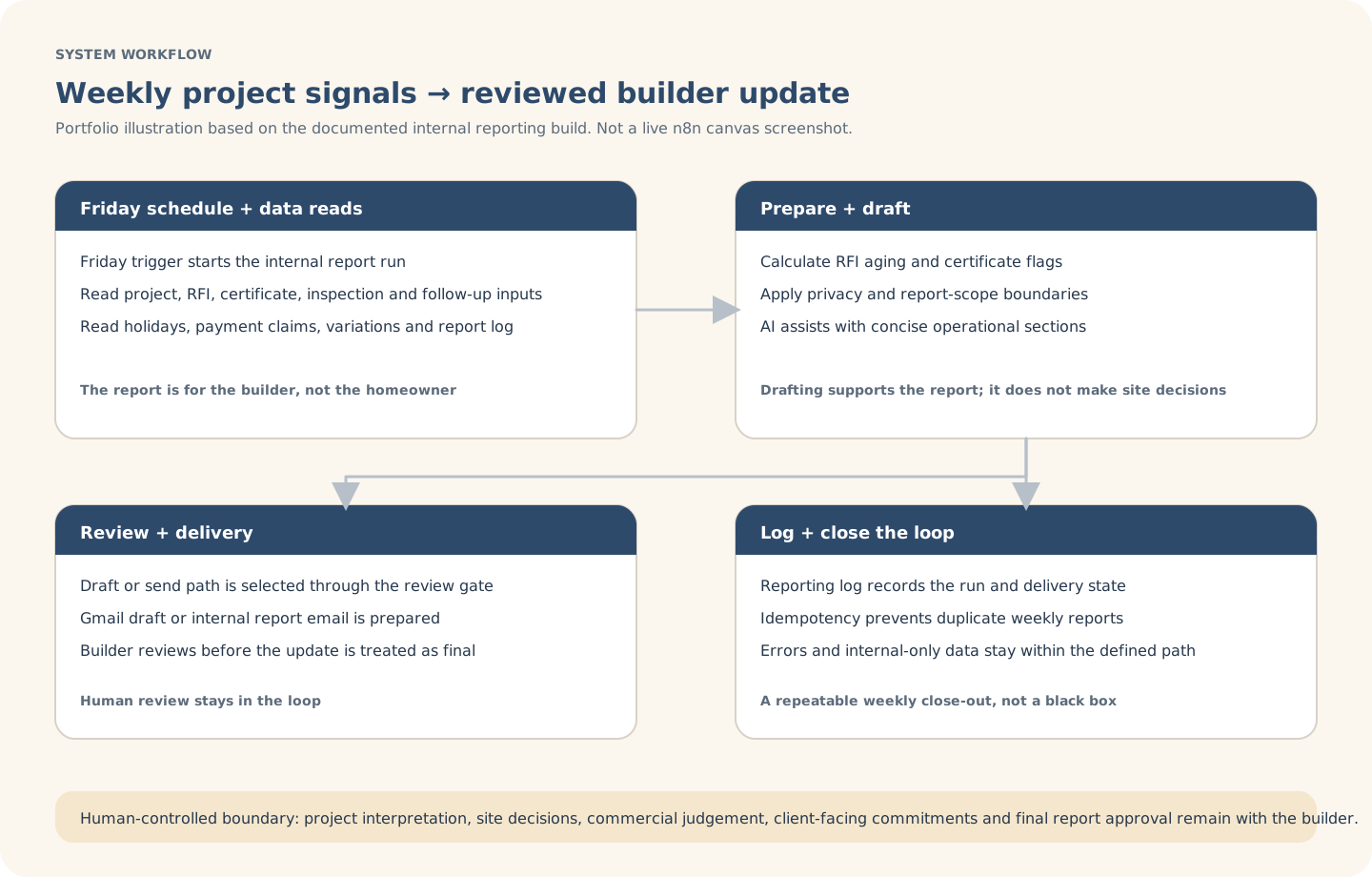
Explanatory workflow visual based on the documented portfolio build — not a live n8n canvas screenshot.
Inside the build
The build separates source and audience rules from calculations, AI-assisted writing and final delivery. This helps the report stay operational without turning the model into the decision-maker.
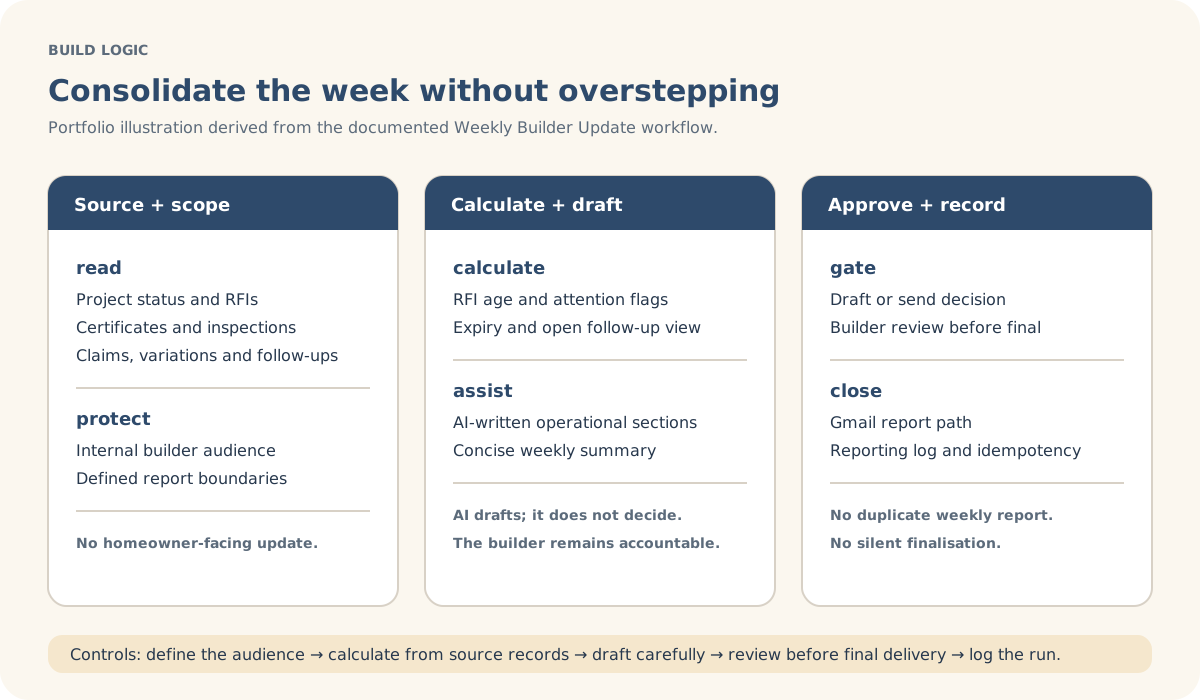
Explanatory build-detail visual derived from the documented workflow logic.
Actual build evidence
This is an authentic n8n canvas screenshot from the Weekly Builder Update build. It shows the scheduled inputs, report calculations, privacy and scope controls, AI-assisted sections, review path, Gmail delivery and idempotency handling; the SVGs remain the clearer client-readable explanations.
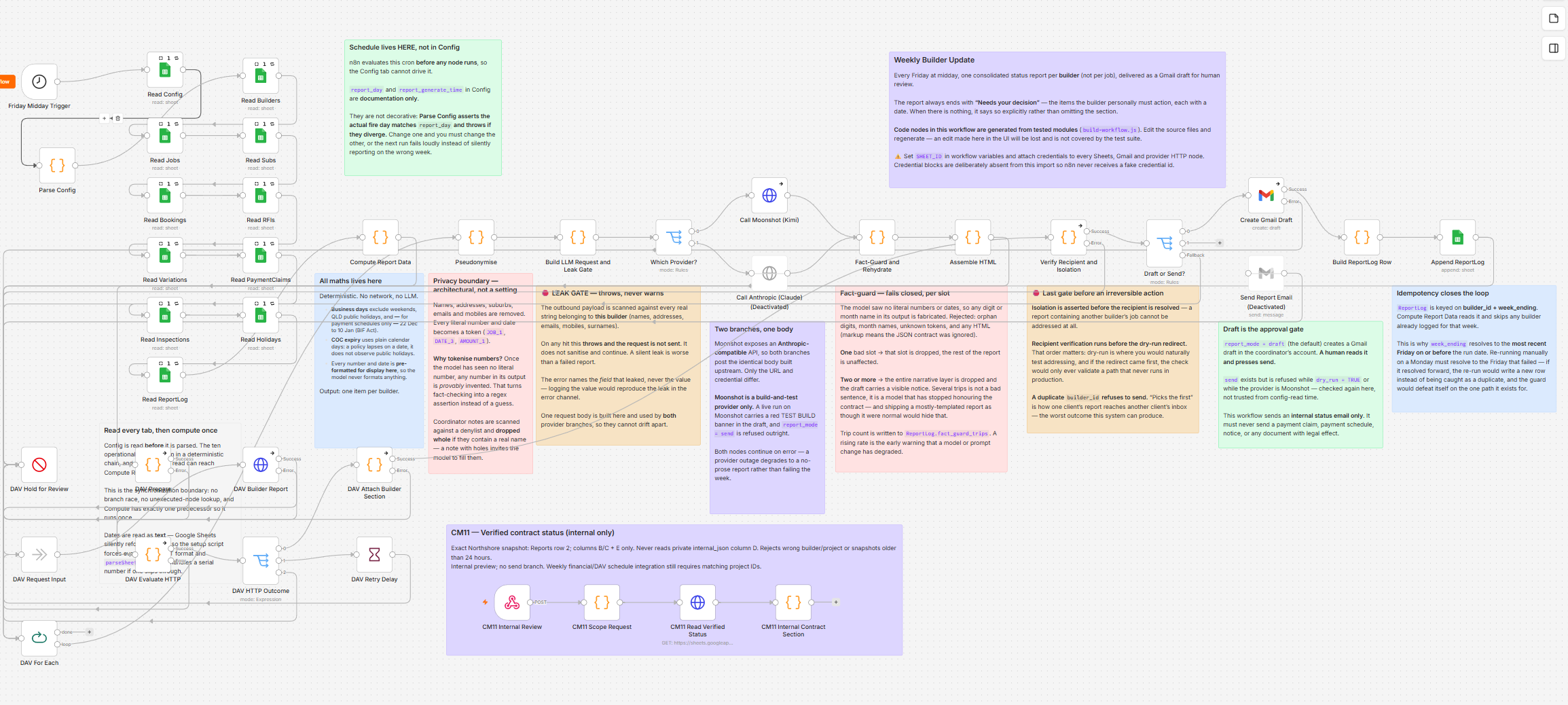
Actual n8n build screenshot supplied for this portfolio case study. Click the image for an in-page larger view.
Controls & exceptions
The workflow prepares a builder-facing operational view, separate from the homeowner-facing update.
RFI age, expiry flags and follow-ups are calculated from the current configured inputs.
The builder reviews the report path before it is treated as final or delivered as the weekly update.
The reporting log helps prevent duplicate weekly reports and preserves the run state.
What stays human-controlled
Automation consolidates signals and assists with drafting. The builder retains project interpretation, site decisions, commercial judgement, client-facing commitments and final approval of the weekly update.