At a glance
Weekly milestones, risks, next-week plans, owner details and delivery preferences.
Progress-photo lists from the linked Drive folder and an owner-safe update draft.
A fallback template handles an AI-drafting failure without producing a broken email.
The builder receives the draft first, with no owner delivery until the approved route allows it.
Audience: Homeowner-facing project update, separate from the internal Weekly Builder Update.
The problem
Homeowners want consistent progress communication, but Friday updates are easy to postpone when the builder is managing site issues, trades and project decisions. When updates become irregular, owners can become anxious and “just checking in” calls increase.
The coordination challenge is producing a useful, warm update from approved project information without allowing an AI draft or an incomplete week to reach the homeowner unchecked.
How the system works
The documented build runs on Friday afternoon, reads the configured Weekly Update Sheet and Drive photos, prepares a draft, validates the email, and routes it through a builder review path before owner delivery.
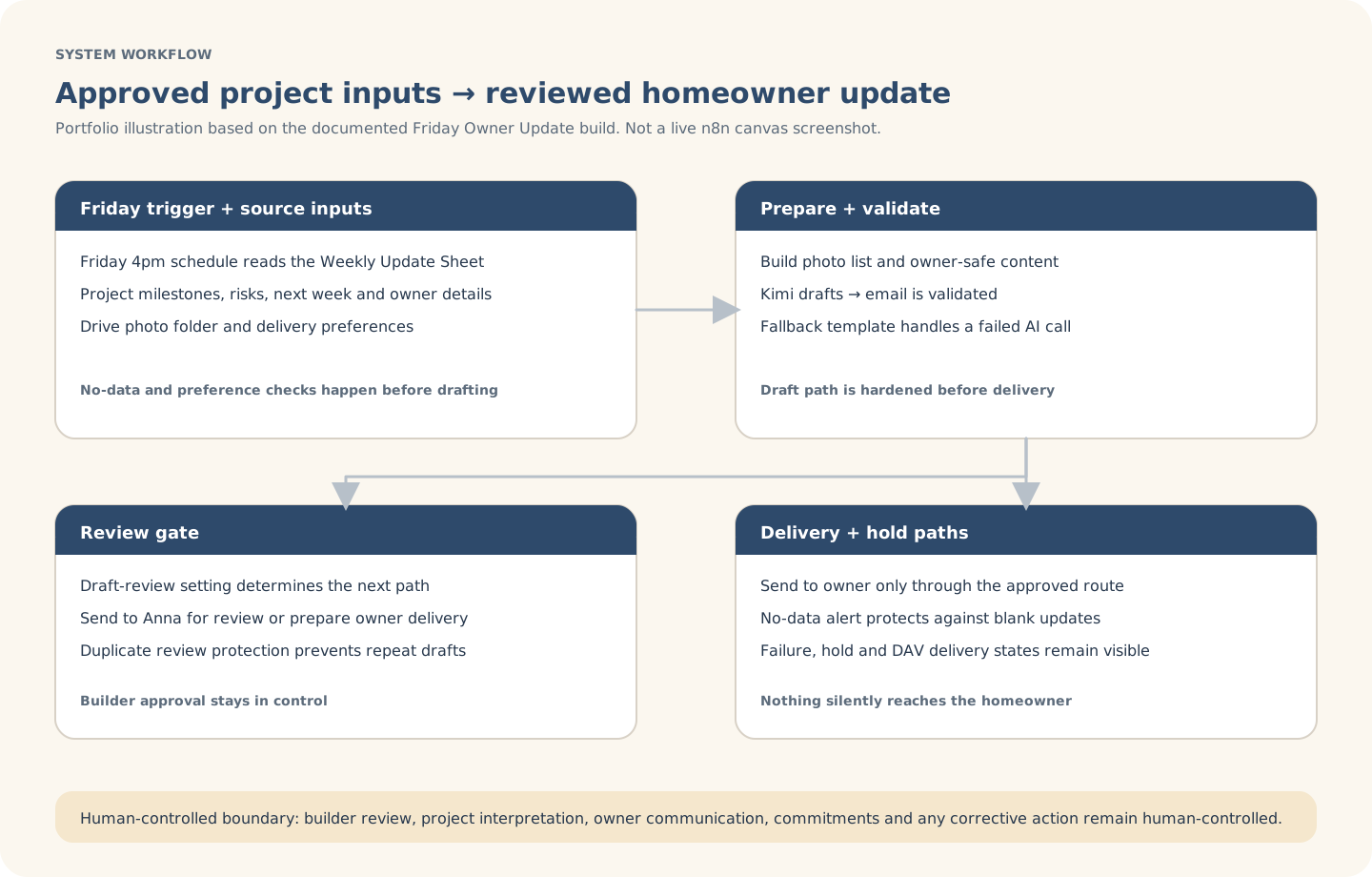
Explanatory workflow visual based on the documented portfolio build — not a live n8n canvas screenshot.
Inside the build
The build separates approved source data, photo handling, AI drafting, validation, fallback content and the final review gate so the workflow can degrade safely.
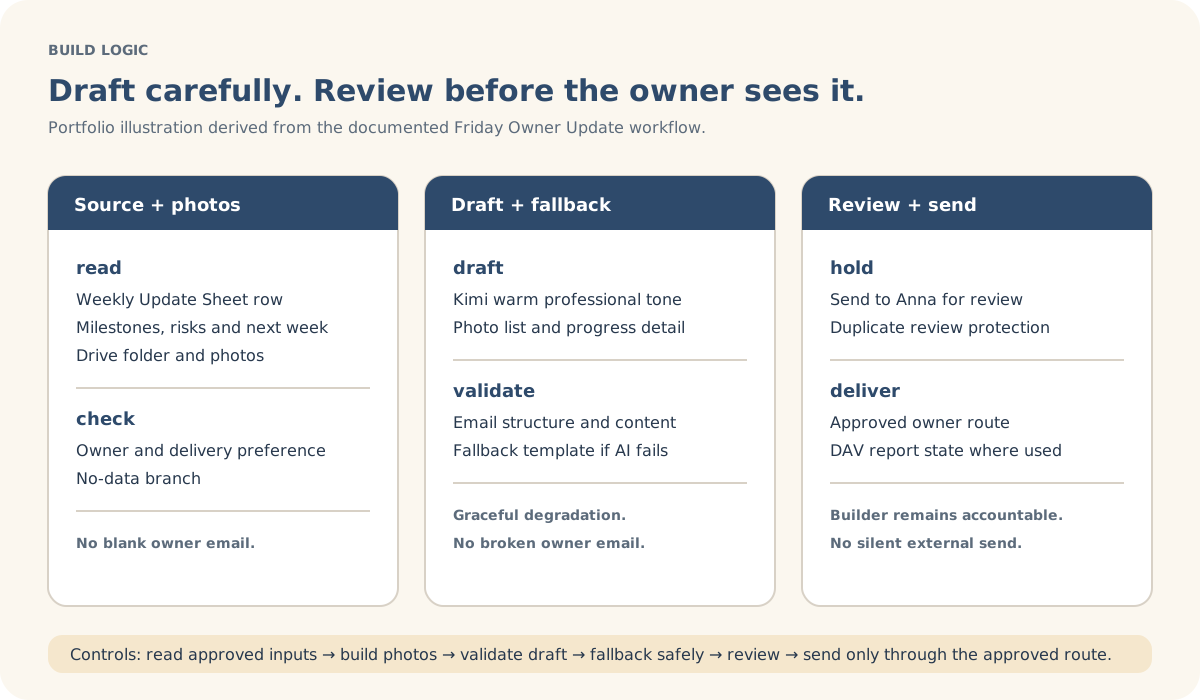
Explanatory build-detail visual derived from the documented workflow logic.
Actual build evidence
This is an authentic n8n canvas screenshot from the Friday Owner Update build. It shows scheduled inputs, photo handling, AI drafting, fallback, validation, builder review, owner delivery, no-data alerts and hold paths; the SVGs remain the clearer client-readable explanations.
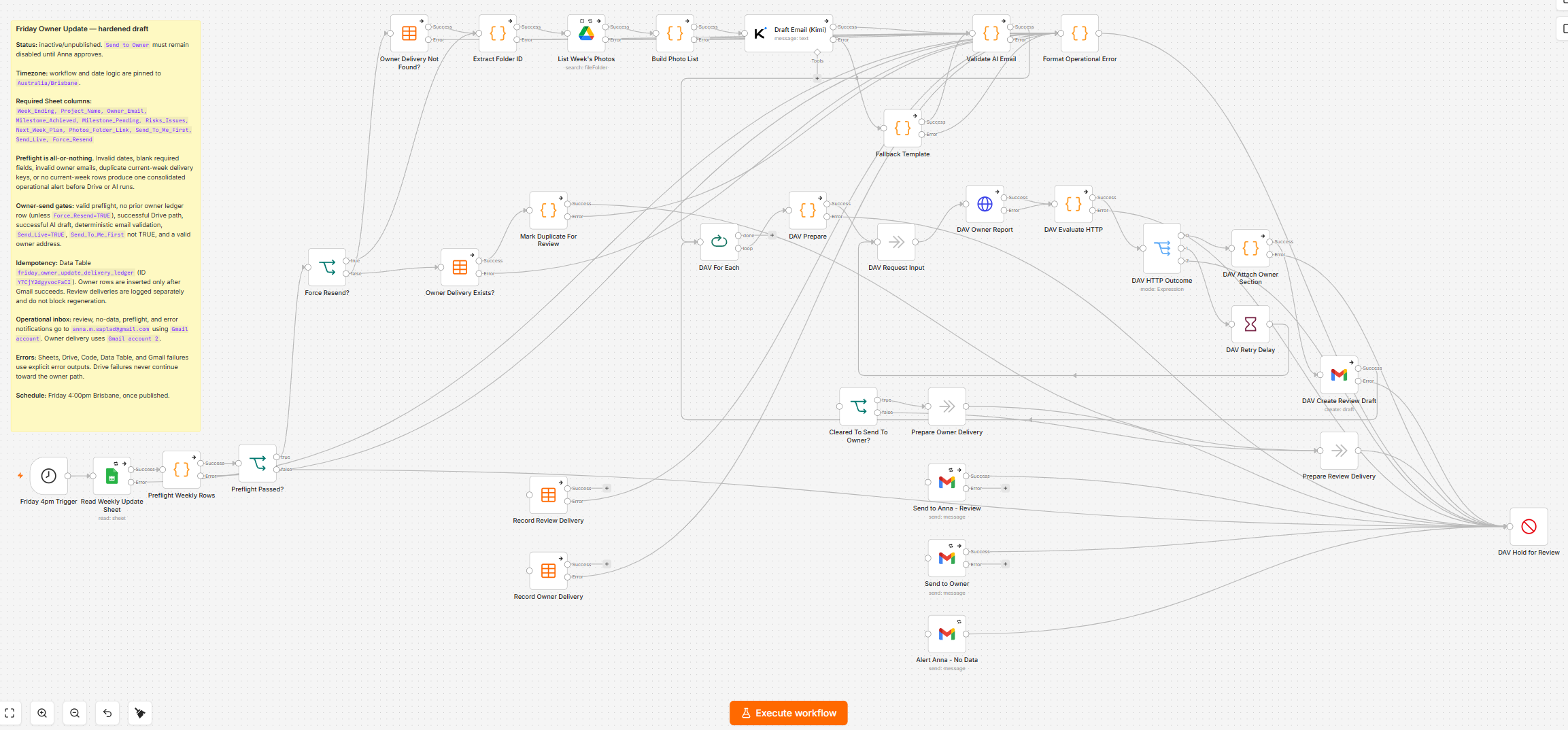
Actual n8n build screenshot supplied for this portfolio case study. The visible setup note contains workflow guidance only; no secret values are included. Click the image for an in-page larger view.
Controls & exceptions
The configured review path keeps the homeowner-facing communication under builder control.
If the week has no usable data, the builder is alerted rather than receiving an empty owner email.
If the AI call fails, a fallback template can produce a clean draft for review.
Review markers and hold states help prevent repeated or conflicting owner drafts.
What stays human-controlled
Automation supports draft preparation, photo assembly and review routing. The builder retains project interpretation, owner communication, commitments, corrective messages and the final decision to send.