At a glance
Incoming homeowner emails are classified using the documented workflow logic.
Relevant message and workflow information is recorded for visibility.
A professional acknowledgement is automatically sent after the message is received.
Urgent, uncertain, financial and contractual items are routed for human review.
Client type: Residential builder, QLD — homeowners emailing about their build.
The problem
Homeowner emails can arrive alongside site questions, defect reports, urgent issues, selections, payment queries and requests for decisions. Without a consistent triage layer, a critical message can sit beside a routine question with no clear priority or recorded next action.
The coordination problem is not simply volume. It is keeping the message, category, urgency, response status and human decision point visible while the builder continues running jobs.
How the system works
The documented build uses Gmail, structured AI classification, category and confidence routing, Google Sheets logging, automatic acknowledgement handling, builder alerts and an error path.
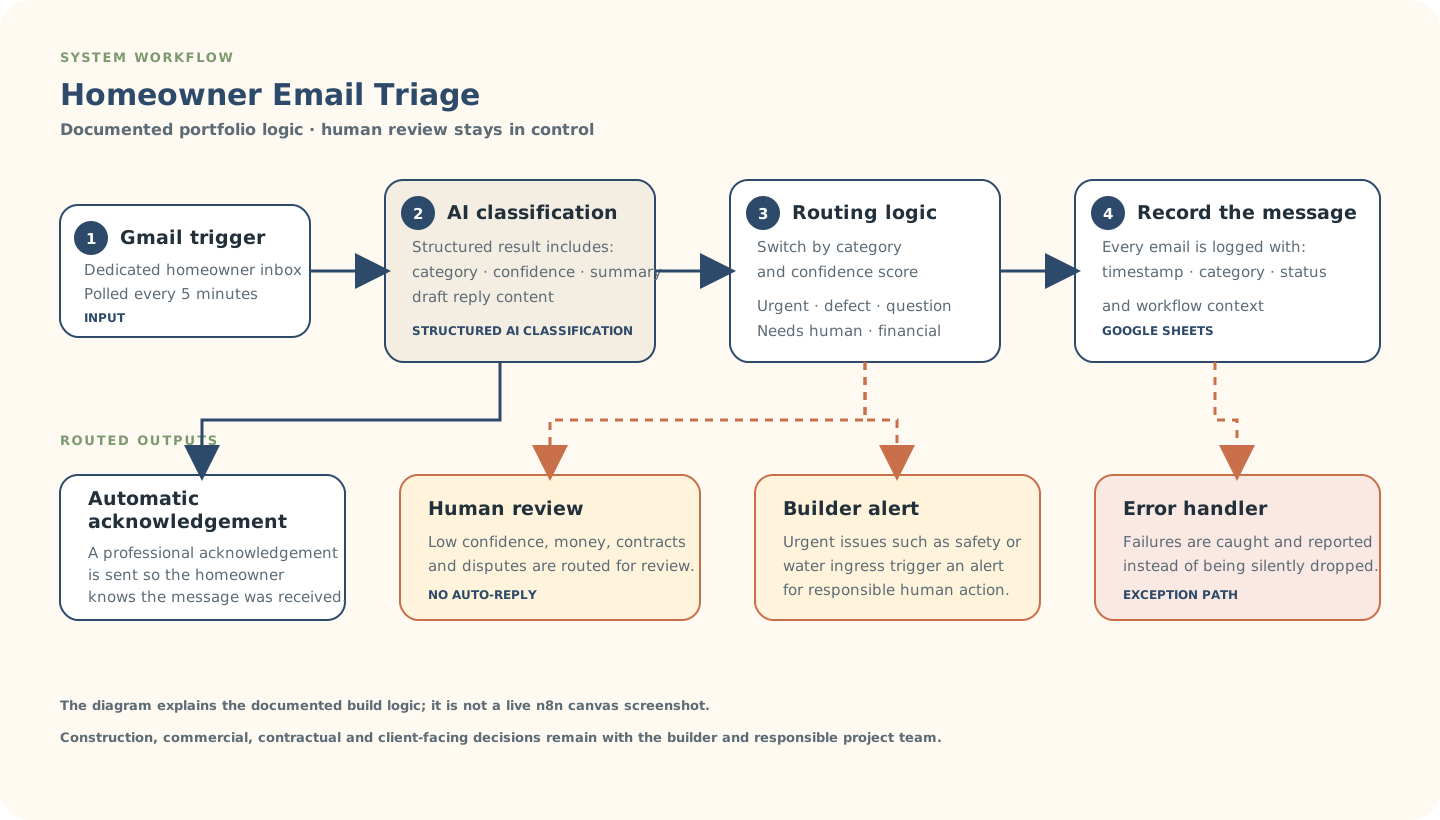
Explanatory workflow visual based on the documented portfolio build — not a live n8n canvas screenshot.
Inside the build
The build is structured around a machine-readable classification result so later steps can route consistently instead of relying on an unstructured AI paragraph.
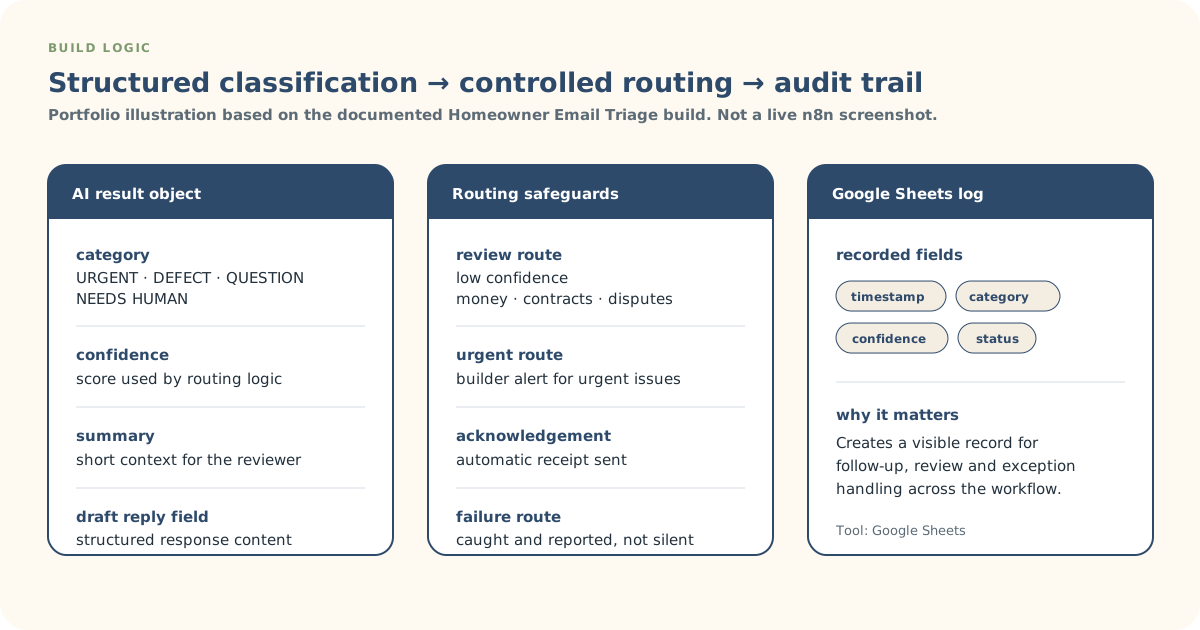
Explanatory build-detail visual derived from the documented workflow logic.
Actual build evidence
This is an authentic n8n canvas screenshot from the Homeowner Email Triage build. It provides build evidence; the System Workflow and Build Logic SVGs remain the clearer client-readable explanations.
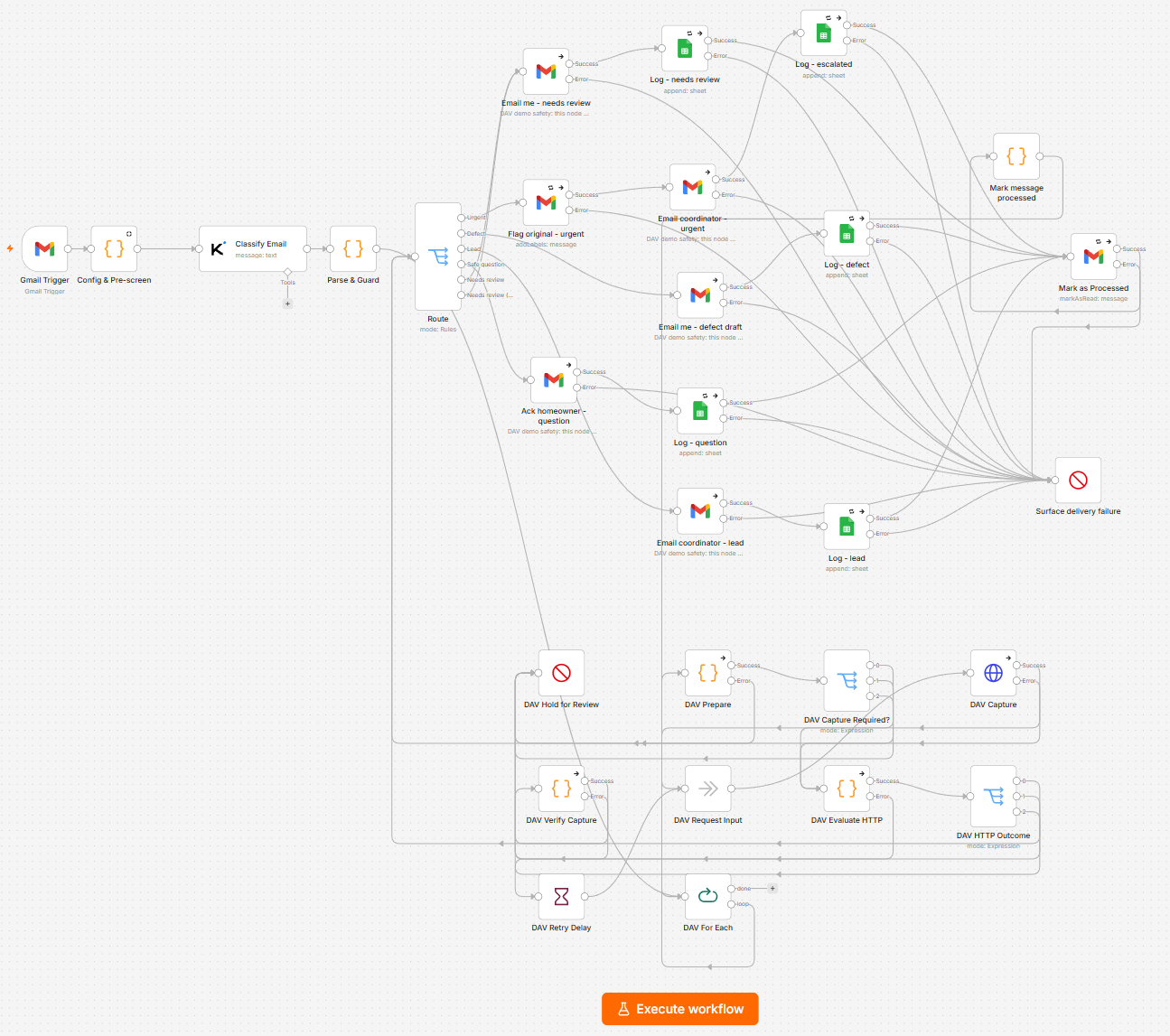
Actual n8n build screenshot supplied for this portfolio case study. Open the image for a larger view.
Controls & exceptions
Where the classification is uncertain, the item is routed to a human instead of being treated as safe for automatic handling.
Money, contracts and disputes are routed for review rather than receiving an automated substantive response.
Safety issues and water ingress are routed for immediate builder attention rather than left in a general queue.
The error handler catches and reports workflow failures so a message is not silently dropped.
What stays human-controlled
Automation supports visibility, routing, automatic acknowledgement, logging and follow-up. The builder and responsible project team retain construction decisions, commercial decisions, contractual judgement, approvals, scope changes and client-facing decisions that require authorised human action.