At a glance
New enquiries receive an immediate reply while the lead is added to the tracking register.
A daily Brisbane-time sweep evaluates due leads and sends stamped nudges without doubling up.
A lead marked won by the builder can trigger Procore project creation and welcome-pack delivery.
Errors are formatted, emailed to the builder and recorded for review or retry.
Client type: Residential builder quoting renovation and new-build work.
The problem
A homeowner enquiry can wait while the builder is on the tools, moving between sites or handling active project decisions. At the other end, winning a job can create a second admin queue: create the project, send the welcome pack and update the register.
The coordination risk is losing visibility at both ends of the pipeline — a lead going quiet at the front, or a confirmed job waiting for setup at the back.
How the system works
The documented build separates instant intake, scheduled follow-up, human-approved won-job setup and centralised error handling. It automates coordination steps without deciding whether a lead should be accepted, quoted or marked won.
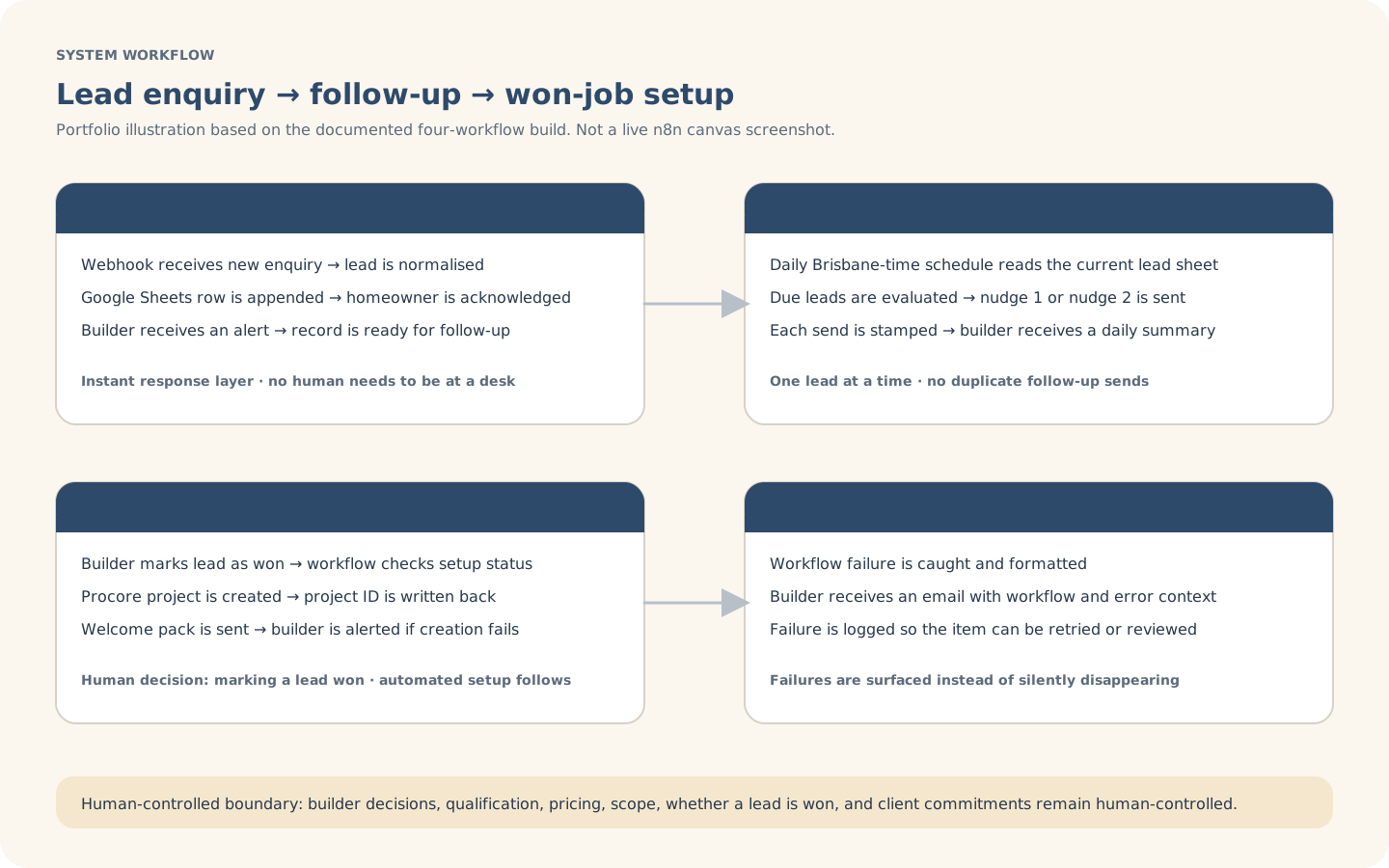
Explanatory workflow visual based on the documented portfolio build — not a live n8n canvas screenshot.
Inside the build
The build uses a shared lead register, stamped follow-up fields and a won-job gate so each stage can be checked without silently repeating work.
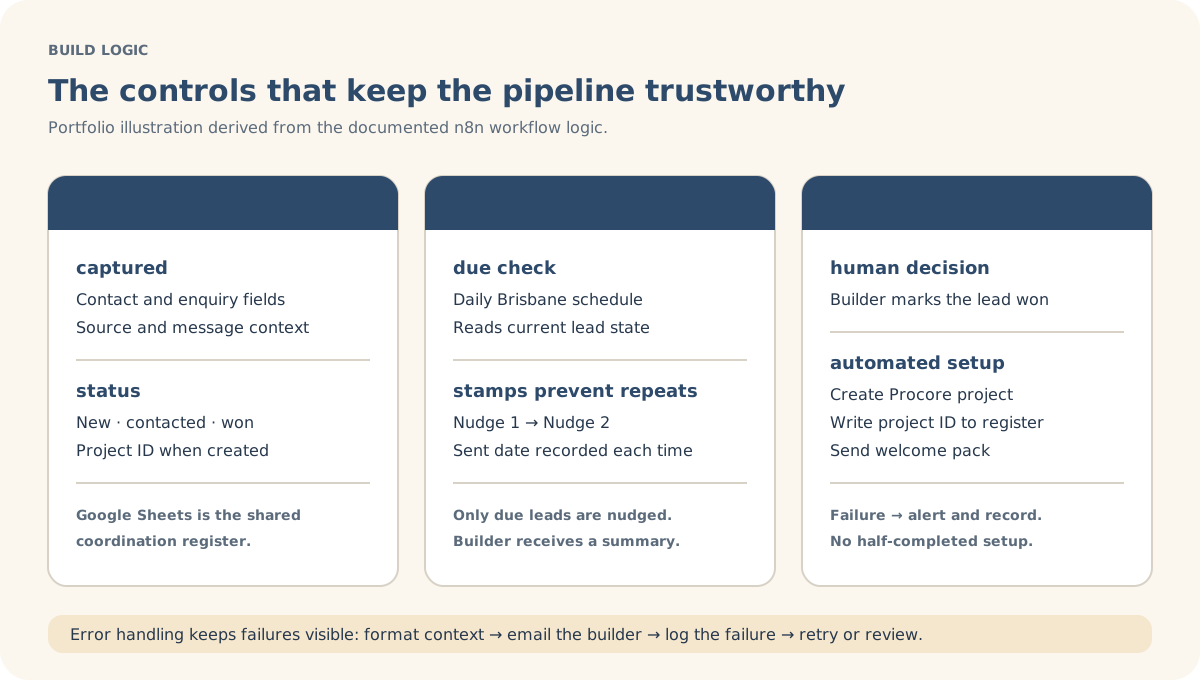
Explanatory build-detail visual derived from the documented workflow logic.
Actual build evidence
This is an authentic n8n canvas screenshot from the Lead Management build. It shows the four workflow paths, Google Sheets register, Gmail messages, Procore setup, follow-up cadence and error handling; the SVGs remain the clearer client-readable explanations.
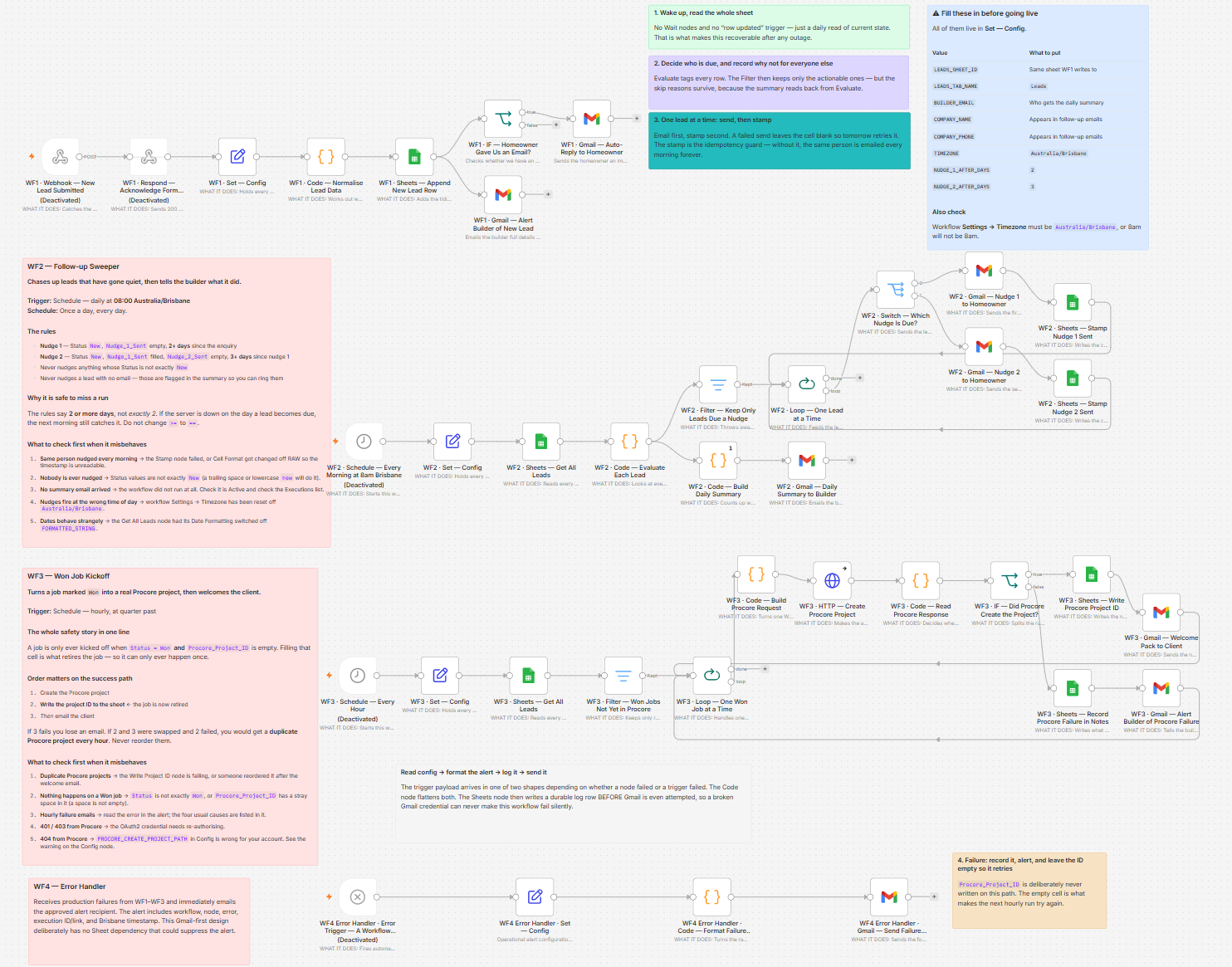
Actual n8n build screenshot supplied for this portfolio case study. Click the image for an in-page larger view.
Controls & exceptions
Each nudge is recorded so the workflow can distinguish due leads from leads already contacted.
The documented sweeper processes leads sequentially rather than sending a burst of duplicate messages.
Procore setup runs only when the lead is marked won and the project has not already been created.
Workflow and Procore failures are emailed to the builder and preserved in the error record.
What stays human-controlled
Automation supports acknowledgement, follow-up, register updates and agreed setup steps. The builder retains qualification, pricing, scope, availability, negotiation, the decision to mark a lead won and all client commitments.