At a glance
Commitment contracts and project vendors are brought together into a reusable vendor list.
The rating form uses the current vendor list instead of hardcoded subcontractor names.
Supervisor performance inputs are normalised and stored in both an n8n Data Table and Google Sheets.
Organised records can support future tender review without making the tender decision automatically.
Client type: Builder running tenders through Procore with a regular subcontractor bench.
The problem
Subcontractor performance history can live in memory, scattered notes or a spreadsheet that drifts away from the current project records. When the next tender arrives, the builder may have no consistent way to connect the decision to the actual vendor and commitment history.
The coordination challenge is building a current, queryable record without turning a rating form into an automated tender decision-maker.
How the system works
The documented build has two phases: first it prepares a reusable vendor list from Procore; then it uses that list to build a rating capture flow and store the reviewed submission in two accessible places.
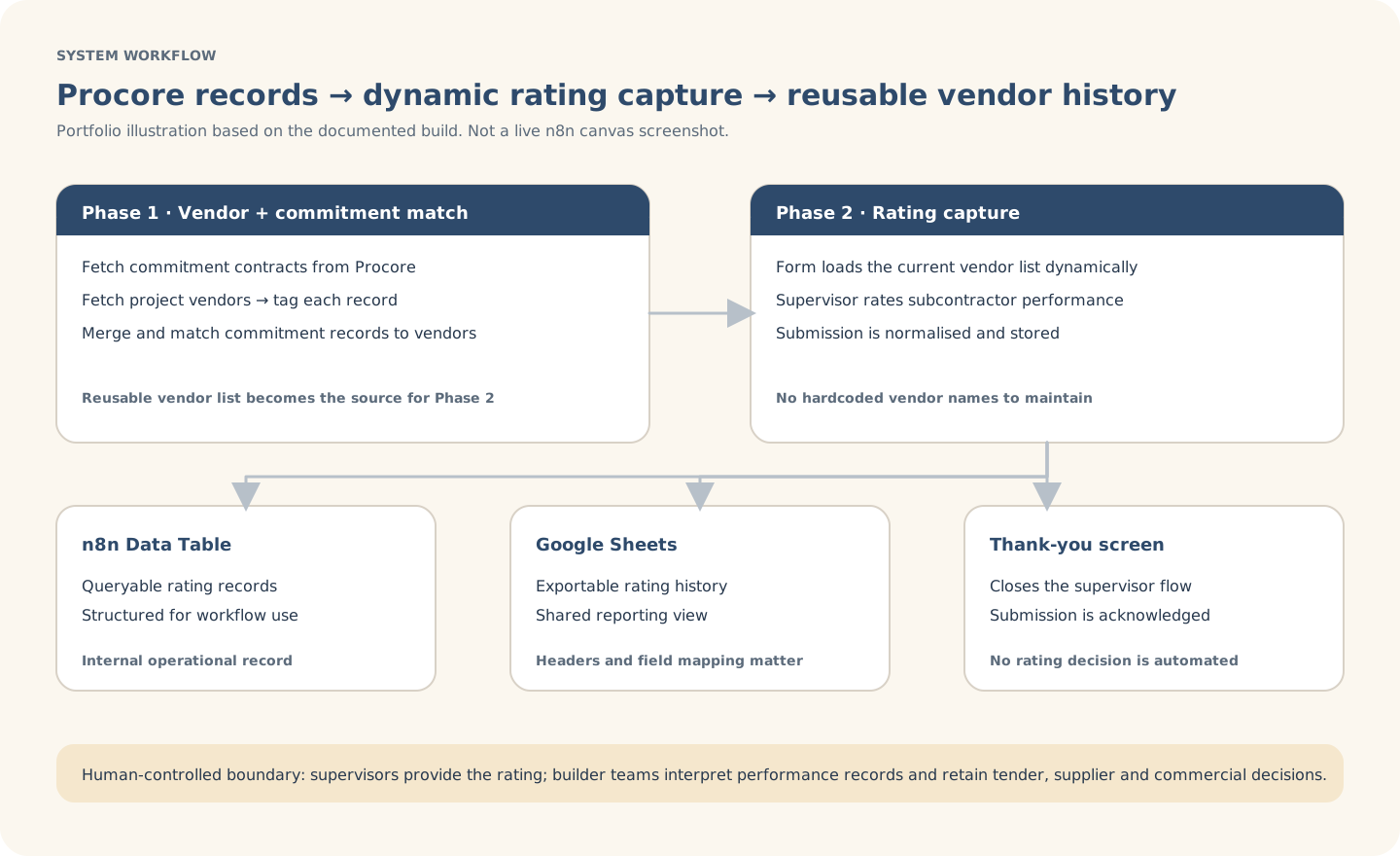
Explanatory workflow visual based on the documented portfolio build — not a live n8n canvas screenshot.
Inside the build
The build keeps source matching separate from rating capture. That separation makes the form current when the vendor bench changes and keeps the field mapping visible.
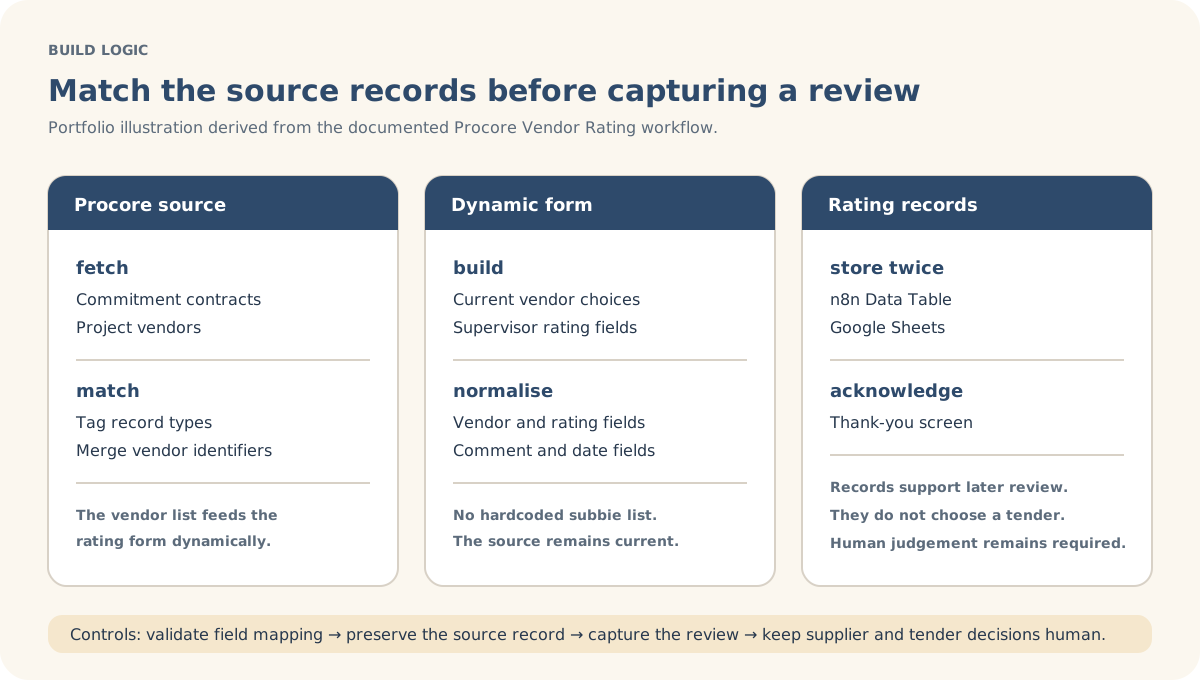
Explanatory build-detail visual derived from the documented workflow logic.
Actual build evidence
This is an authentic n8n canvas screenshot from the Procore Vendor Rating build. It shows the two phases, Procore source calls, commitment/vendor matching, dynamic form construction, rating capture and dual storage; the SVGs remain the clearer client-readable explanations.
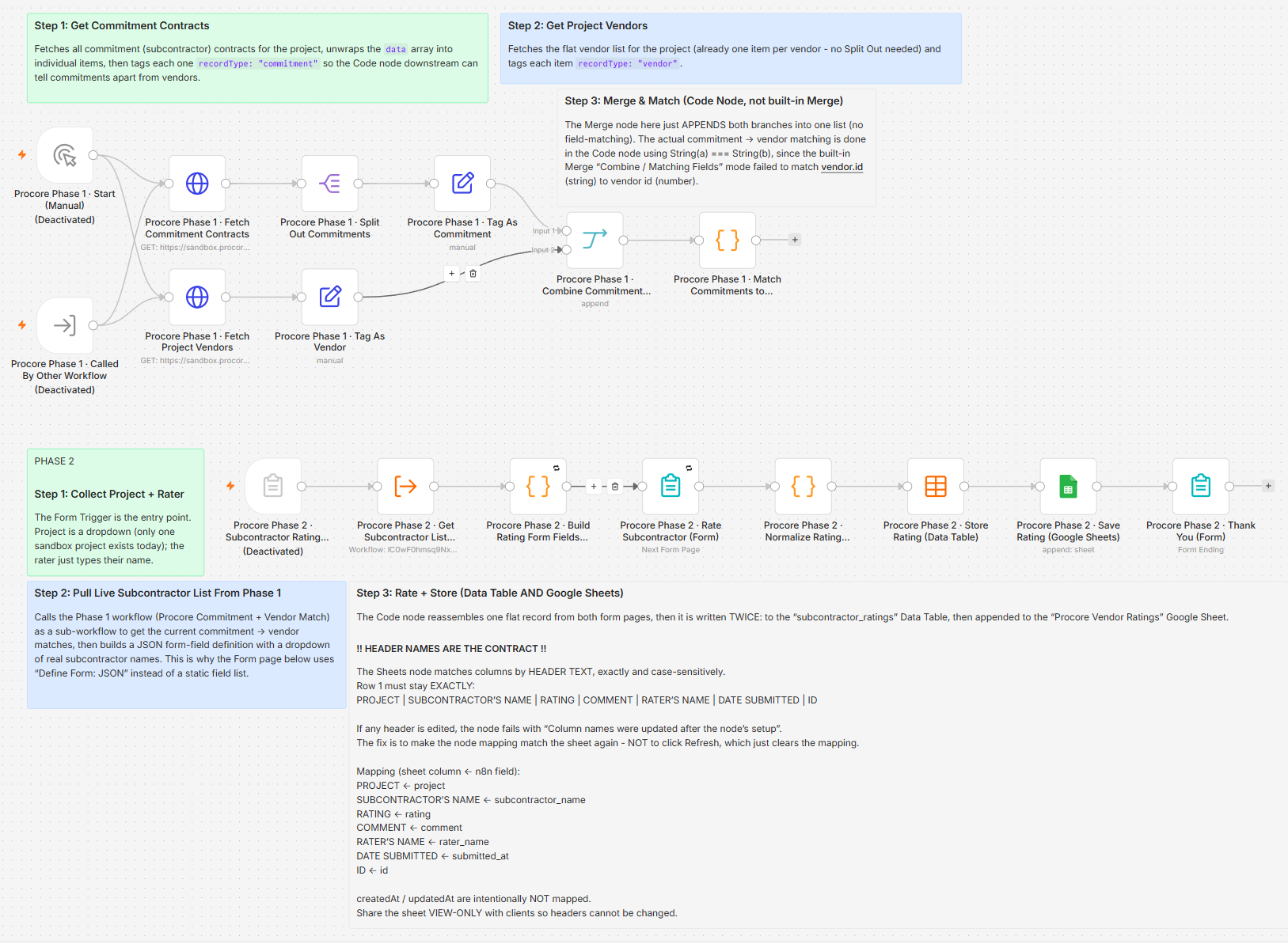
Actual n8n build screenshot supplied for this portfolio case study. Click the image for an in-page larger view.
Controls & exceptions
The form is built from the current vendor list rather than a manually maintained hardcoded list.
Rating, comment, name and date fields are normalised before they are stored.
The submission is written to an n8n Data Table and Google Sheets for queryable and exportable records.
Performance records support review; they do not automatically select or reject a subcontractor.
What stays human-controlled
Supervisors and authorised project personnel provide and review performance inputs. The builder and responsible team retain interpretation, supplier relationship, tender, commercial, scope and award decisions.